---
title: How do I create offer letter templates?
description: How do I create offer letter templates?
---
[Skip to content](https://lp.talentera.com/en/help/how-do-i-create-offer-letter-templates#main-content)
English
Show submenu for translations

Open main navigation
Close main navigation
- English
Show submenu for translations
How can we help you?
- There are no suggestions because the search field is empty.
1. [Talentera Help Center](https://lp.talentera.com/en/help?hsLang=en)
2. [Employers](https://lp.talentera.com/en/help/employers?hsLang=en)
3. [Offer Letters](https://lp.talentera.com/en/help/employers?hsLang=en#offer-letters)
# How do I create offer letter templates?
Templates can save time and effort, and offer letter templates are created and used for expediting the hiring process.
Templates can be created by the Add Template link on the navigation tab, and it contains two main sections:
Name the Template
- Enter Name for This Template
- Share This Offer Letter Template option
General Information
- Manager Name
- Basic Salary
- Housing Allowance
- Transport Allowance
- Other
- Total Salary
- Content
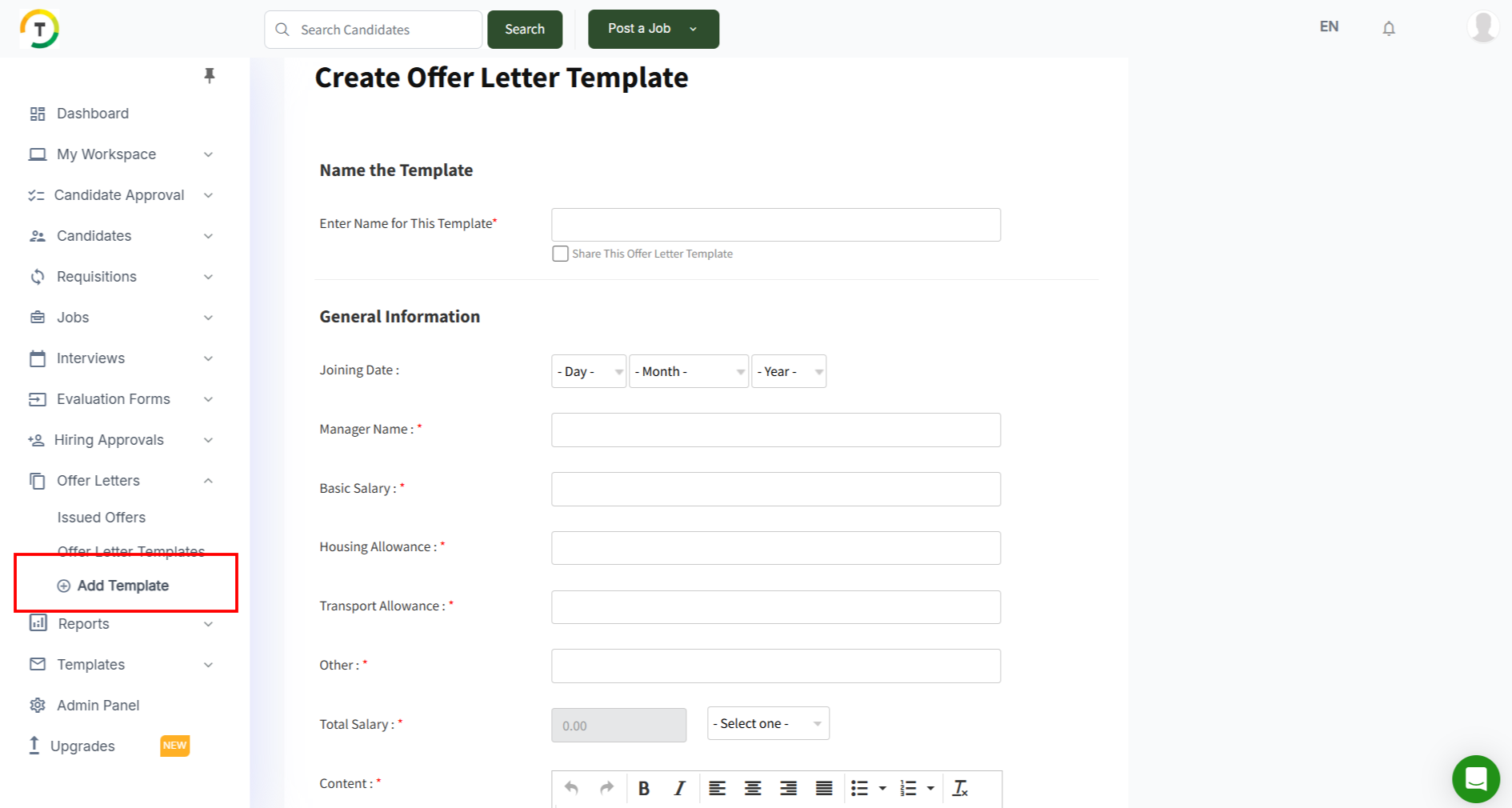
Click on Save Offer Letter Template in order to continue.

### Offer Letter Templates
All created and shared templates are listed on the Offer Letter Templates page.
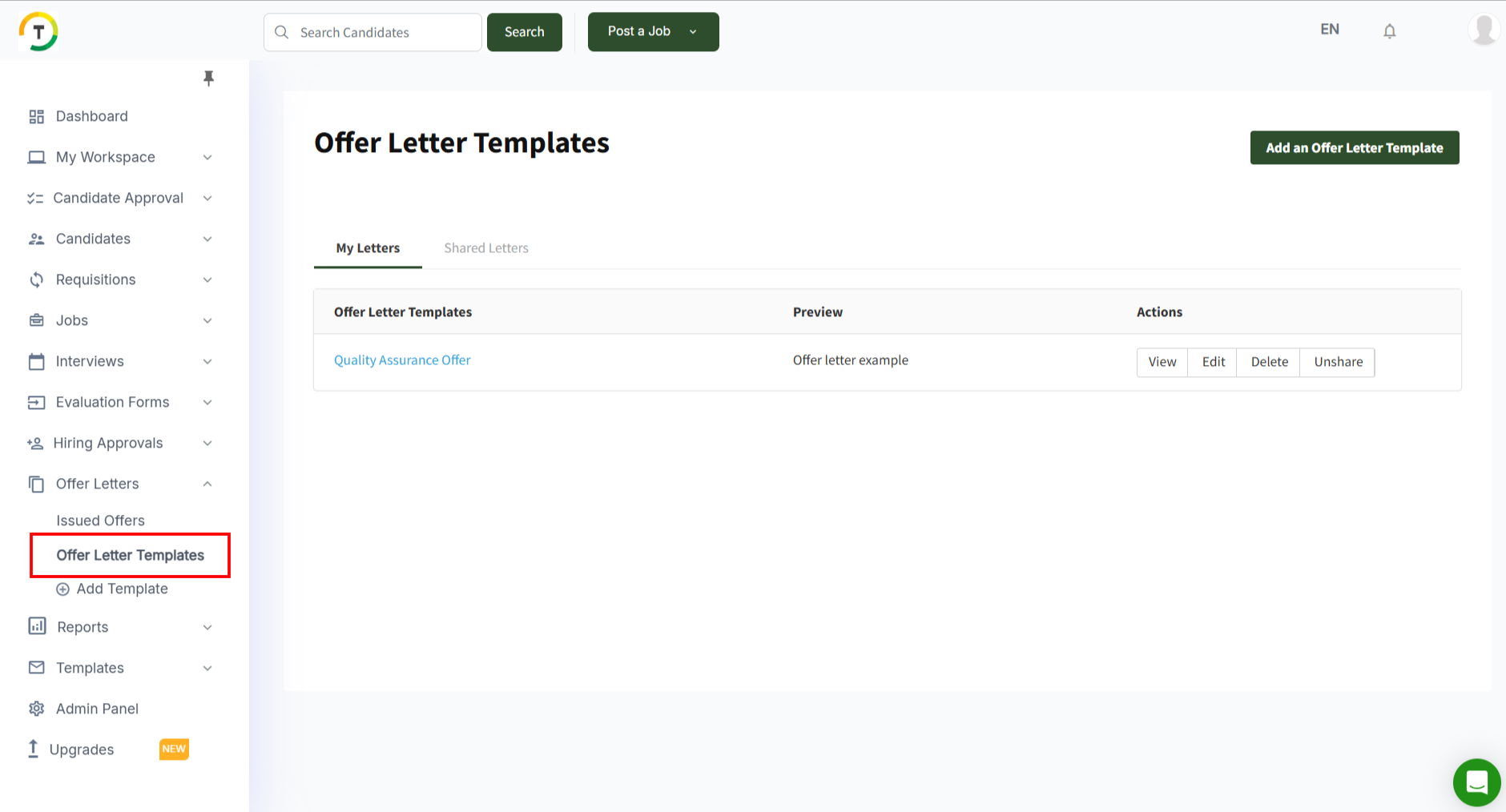
There are two main tabs on this page:
**My Letters**
This page displays the templates created by the logged-in user.
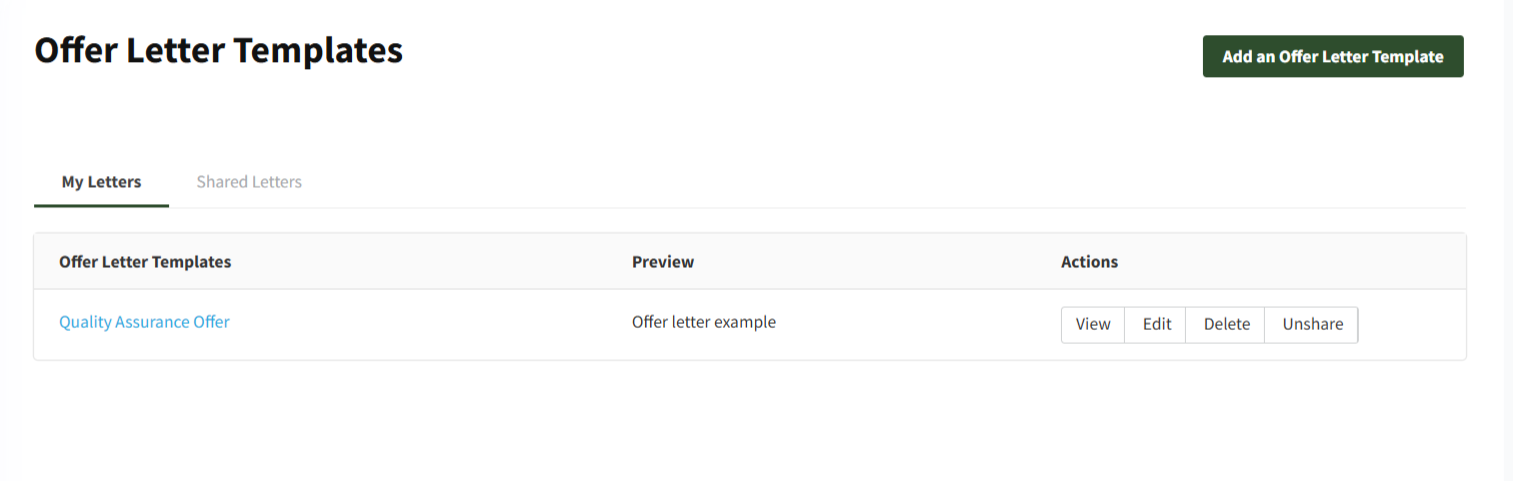
You can perform the below actions on the created templates:
- View
- Edit
- Delete
- Share/Unshare

The created templates will appear when creating an offer letter, and the user can select the desired template.

#### **Shared Letters**
This page displays all shared templates created by other employees.

- [Employers](https://lp.talentera.com/en/help/employers?hsLang=en#main-content)
- [Dashboard](https://lp.talentera.com/en/help/employers?hsLang=en#dashboard)
- [My Workspace](https://lp.talentera.com/en/help/employers?hsLang=en#my-workspace)
- [Candidates](https://lp.talentera.com/en/help/employers?hsLang=en#candidates)
- [Jobs](https://lp.talentera.com/en/help/employers?hsLang=en#jobs)
- [Evaluation Forms](https://lp.talentera.com/en/help/employers?hsLang=en#evaluation-forms)
- [Reports](https://lp.talentera.com/en/help/employers?hsLang=en#reports)
- [Requisitions](https://lp.talentera.com/en/help/employers?hsLang=en#requisitions)
- [Hiring Approval](https://lp.talentera.com/en/help/employers?hsLang=en#hiring-approval)
- [Admin Panel](https://lp.talentera.com/en/help/employers?hsLang=en#admin-panel)
- [Document Requests](https://lp.talentera.com/en/help/employers?hsLang=en#document-requests)
- [Letters](https://lp.talentera.com/en/help/employers?hsLang=en#letters)
- [Question Library](https://lp.talentera.com/en/help/employers?hsLang=en#question-library)
- [Questionnaires](https://lp.talentera.com/en/help/employers?hsLang=en#questionnaires)
- [Offer Letters](https://lp.talentera.com/en/help/employers?hsLang=en#offer-letters)
- [Sanad AI Assistant](https://lp.talentera.com/en/help/employers?hsLang=en#sanad-ai-assistant)
- [Bayt Remote CV Search](https://lp.talentera.com/en/help/employers?hsLang=en#bayt-remote-cv-search)
- [Job Seekers](https://lp.talentera.com/en/help/job-seekers?hsLang=en#main-content)
- [Creating an Account](https://lp.talentera.com/en/help/job-seekers?hsLang=en#creating-an-account)
- [Login](https://lp.talentera.com/en/help/job-seekers?hsLang=en#login)
- [Adding a Cover Letter](https://lp.talentera.com/en/help/job-seekers?hsLang=en#adding-a-cover-letter)
- [Building the CV](https://lp.talentera.com/en/help/job-seekers?hsLang=en#building-the-cv)
- [Searching for Jobs](https://lp.talentera.com/en/help/job-seekers?hsLang=en#searching-for-jobs)
- [Dashboard](https://lp.talentera.com/en/help/job-seekers?hsLang=en#dashboard)
[%20(7).png?width=55&height=55&name=Linkedin%20Ads%20-%20(1200%20%C3%97%201200%20px)%20(7).png "Linkedin Ads - (1200 × 1200 px) (7)")](http://www.talentera.com)
Copyright © 2026, Bayt Group
[mailto:CSM@bayt.net](mailto:CSM@bayt.net)