
Overview
The Skill Generator is an AI-powered tool that automatically generates a relevant skills list for a job based on its title and description. A complete, accurate skills list improves the quality of results from SANAD Sourcing and SANAD Shortlisting.
How to Use the Skill Generator
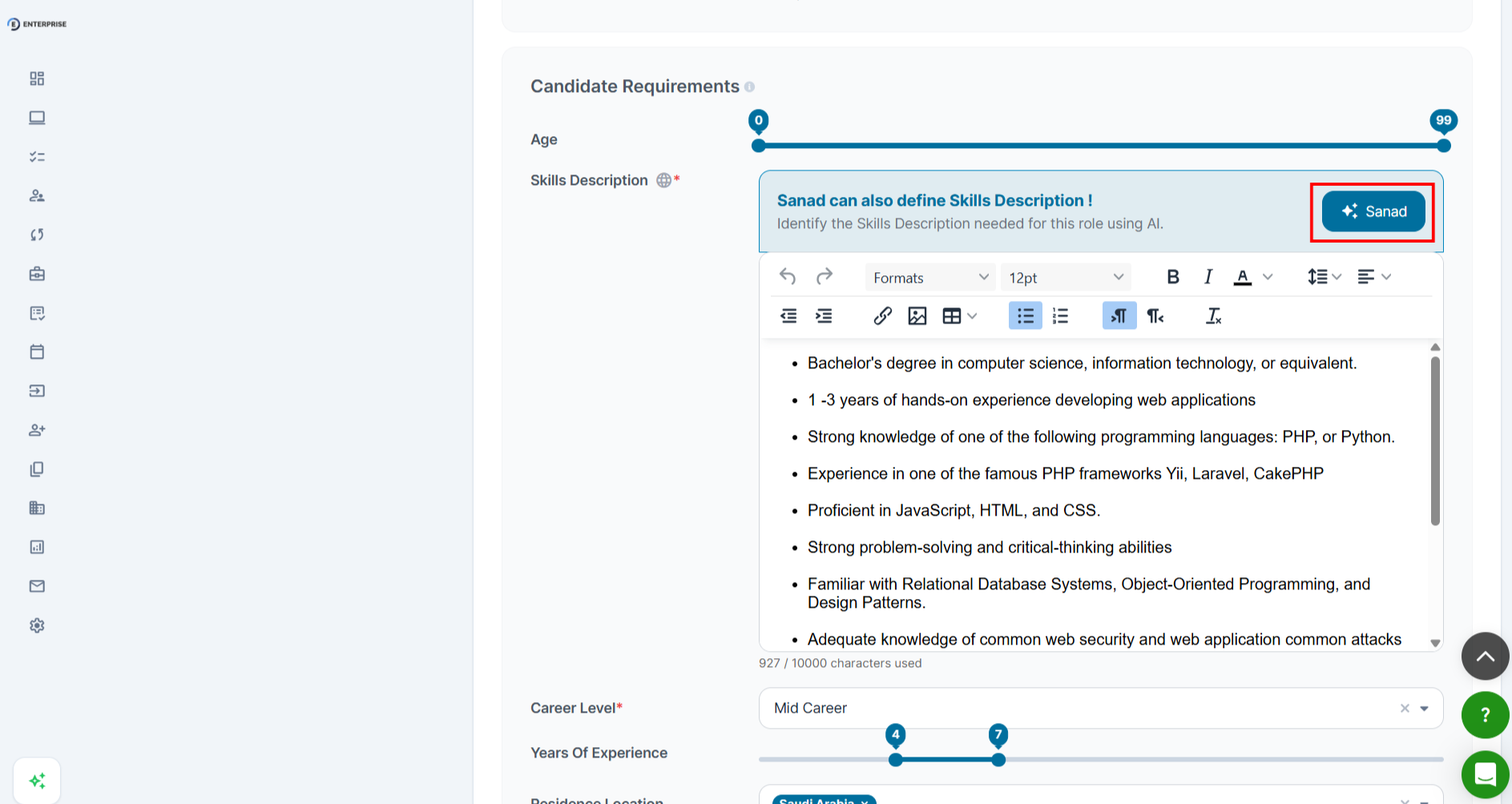
- Open a job posting form (new job or existing draft).
- Locate the Skills section of the form.
- Click Generate Skills with SANAD button.
- Review the suggested list. Uncheck any skills not relevant.
- Add any missing or niche skills.
- Save the updated skills list.
|
|
|
💡 Tip: Run the JD Generator before the Skill Generator. A complete JD produces a more accurate skills list. |
Frequently Asked Questions
Can I generate skills for a job that already has a skills list?
Yes. Review carefully to avoid removing required skills already linked to evaluation criteria.
Does the Skill Generator support Arabic?
Yes. Skill labels are returned in your account language.
How many skills should a job posting have?
8 - 15 skills are the most useful range.